 4.8 / 5




How to disable a EB Key Tracker 3.0
This article is related to the EB Key Tracker 3.0 and Google's Find My Device app.
The EB Key Tracker 3.0 can be disabled to stop it from sharing its location. It will no longer report to Google's Find My Device network and the owner can no longer get updates on its current location.
If you receive a message on your Android device that a EB Key Tracker 3.0 has been detected near you and you are not familiar with this device, you can make this EB Key Tracker 3.0 ring through the system notification that you have received. After locating the item, use the steps described below to disable it. The owner will no longer receive updates on the location of this EB Key Tracker 3.0 and it will no longer trigger unknown tracker alerts.
By pressing and holding the button:
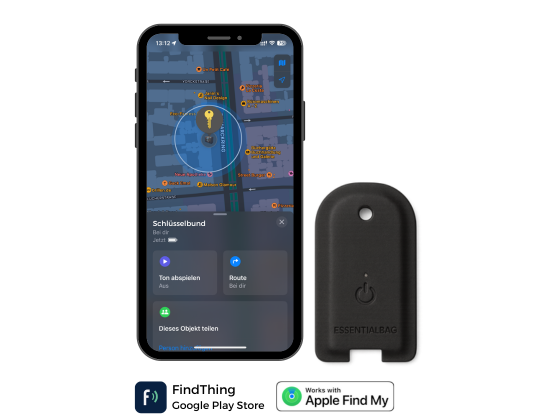
- Locate the button on the front corner of the EB Key Tracker 3.0.
- Press the device button 5 times in 2 seconds quickly.
- When the device is disabled, you will hear a confirmation sound.
How to re-enable the EB Key Tracker 3.0
Press the button:
- Locate the button on the front corner of the EB Key Tracker 3.0.
- Long press the button to re-enable it.
- When the device is re-enabled, you will hear a confirmation sound.
How to put the device into identify mode/Learn more:
- Locate the button on the front corner of the EB Key Tracker 3.0.
- Quickly press the button six times within two seconds.
- Six confirmation beeps will sound and the light will blink six times.